Infinity Blade Fillrate
 I bought "Infinity Blade" yesterday. The game is a lot of fun and will satisfy both people looking for instant fun and people wishing for a long game while collecting powerful items. At $5.99 it is a bargain, a must have not only for the gameplay but also for its graphical breakthrough, just like Rage HD.
The game programmer in me really wanted to understand the engine and I was especially interested to see the game being released as a universal binary running on iPhone 3GS, iPhone4 and iPad. Those three devices have different capabilities but down the line it is often about managing the fillrate.
Differences
If you don't own the game, here is an animated gif so you can see by yourself:
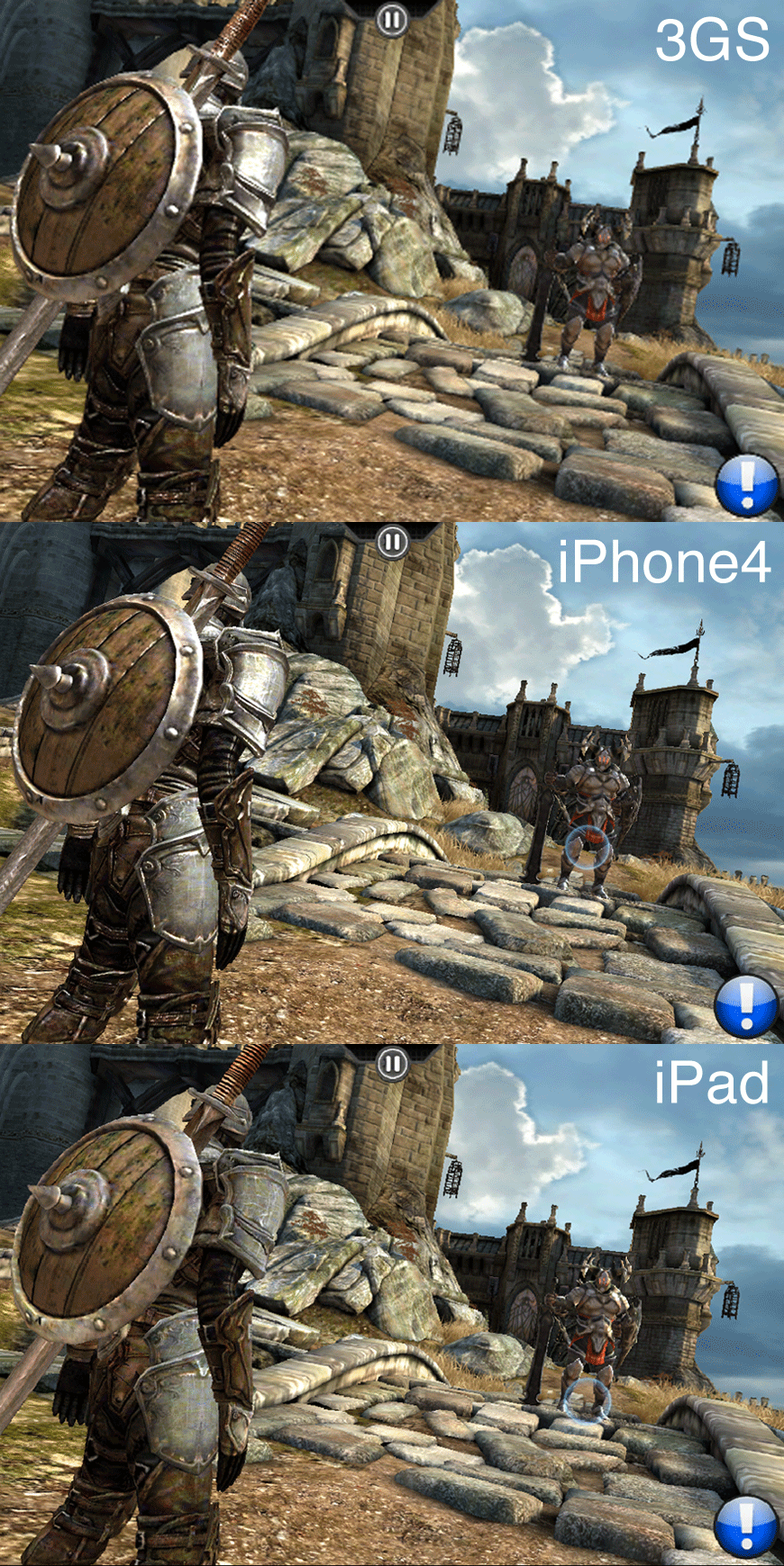
The resolution difference really shows from iPhone 3GS to iPhone 4, not so much between iPhone 4 and iPad:
| Device | Resolution |
|---|---|
| iPhone 3GS | 480x320 |
| iPhone 4 | 960x640 |
| iPad | 1024x768 |
It seems that for all iOS devices the game is rendering all static environment with a single (gorgeous) texture where all lightings effects (shadows, ambient occlusion, specular, diffuse) are prebaked ; possibly using a mega-texture technique. The difference is really in the way the enemies and player are rendered: On iPhone 3GS and iPhone4 we can see bumpmapping and probably specular mapping but no such things on iPad. I may be wrong but it also seems the player's model doesn't get dynamic lighting at all (enemies still do). Overall, the bigger screen gets the less eye candies and I think it is very representative of the difficulty to have a game running well on all major iOS platforms.
In terms of pixels to draw and ratio:
| Machine | Number of pixels on screen | Num_pixels ratio vs previous line |
|---|---|---|
| iPhone 3GS | 153,600 | 1 |
| iPhone 4 | 614,400 | 4 |
| iPad | 786,432 | 1.28 |
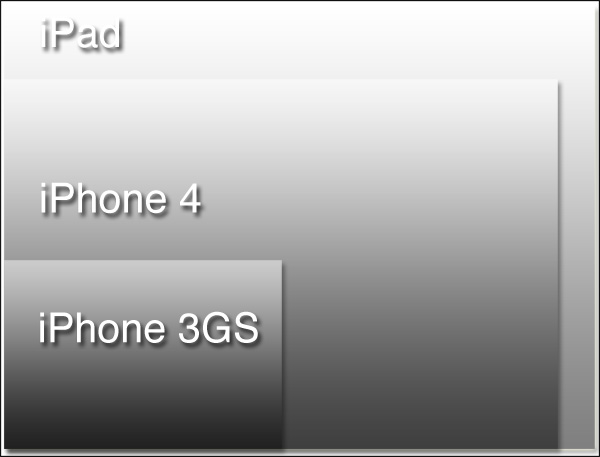
An iPhone 4 must draw 4 times more pixels than a 3GS. And an iPad must draw 1.28 times more pixels than an iPhone 4. This is all summarized in the following drawing:
Problem ?
The fillrate is the number of pixels the GPU can generate per second. On iOS it is mostly determined by the velocity of the GPU, the speed of the RAM bus and of course the shaders you execute. The problem while developing a game on iOS is that the GPU raw power/screensize ratio varies a lot from a device to an other: As an example: an iPhone4 and a iPad use the same A2 ship and have the same raw fillrate....but the iPad must draw 28% more pixels.
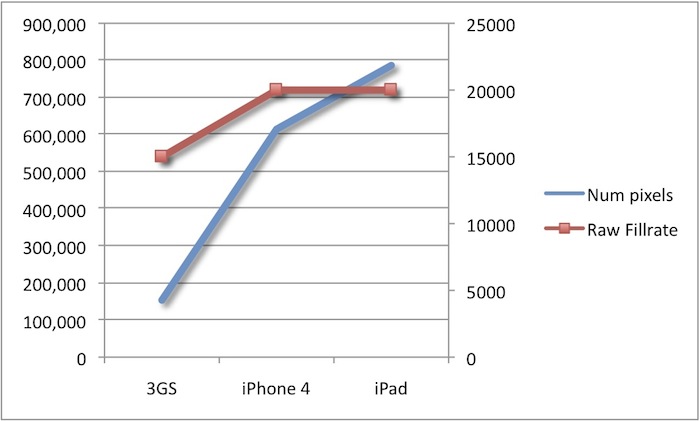
Most of the time it means the iPad version will miss eye candies compared to an iPhone4. This is the case in "Infinity Blade" where it seems they had to remove bumpmapping, specular mapping and even lighting on the player (the game still looks amazing though). I had the same issue while working on SHMUP engine, fog was sacrified to remain at 60fps.
Feedback
As usual, if you disagree or know better do not hesitate to email me. I see those entries as an opportunity to exchange and learn more. Happy learning, happy coding guys...