
November, 25th 2011
Doom3 compilation instructions for Mac OS X.
 The source code of Doom3 has been released three days ago :) ! I have started to read it and I will probably write a code review if enough people are interested.
According to the README.txt the source code is building well with Visual Studio 2010 but it is not building at all on Mac OS X with XCode 4.0 ( it is actually very broken :( !).
Here are the instructions to get it to run.
Note : If you do not want to redo all of this and just want to download Doom3 source code for Xcode 4,
my fork is available here :
github doom3 repo with Xcode 4.0 support.
Edit : This post describes the entire process for educational purpose only.
If fixing the PowerPC intrinsic sheader was trivial ;
Fixing linker's ld: bad codegen or ld: illegal text-relocoation were
more difficult and I hope some will learn something in the process.
Edit : Thanks to John Carmack for tweeting about my website (mirror).
1. Fix Architecture and Target SDK.
Open the project in neo/sys/osx/Doom3.xcodeproject:
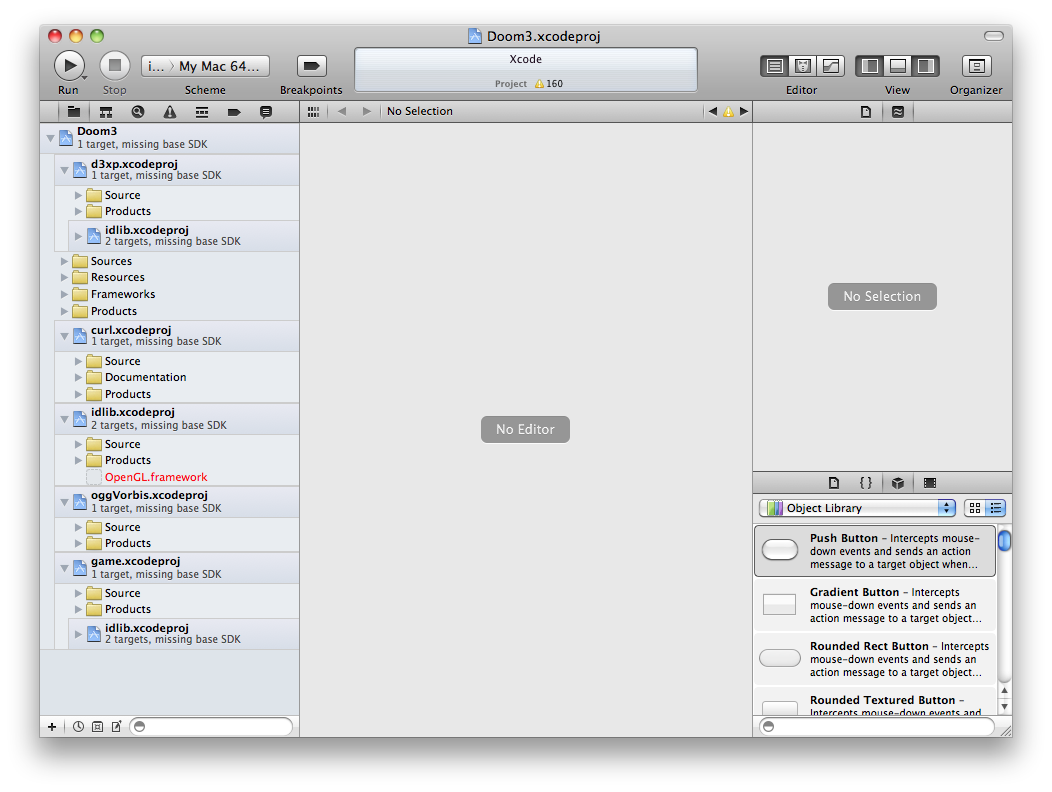
You should see this:
The first thing to notice is that all the Target SDK are missing:
In all 5 projects:
- Change "Architectures" from "ppc i386" to "32-bit Intel"
- Change baseSDK value to "Latest MacOSX"
Note: There are two targets in the idlib project, make sure you update the architecture and target SDK in both.
2. Fix all broken framework references.
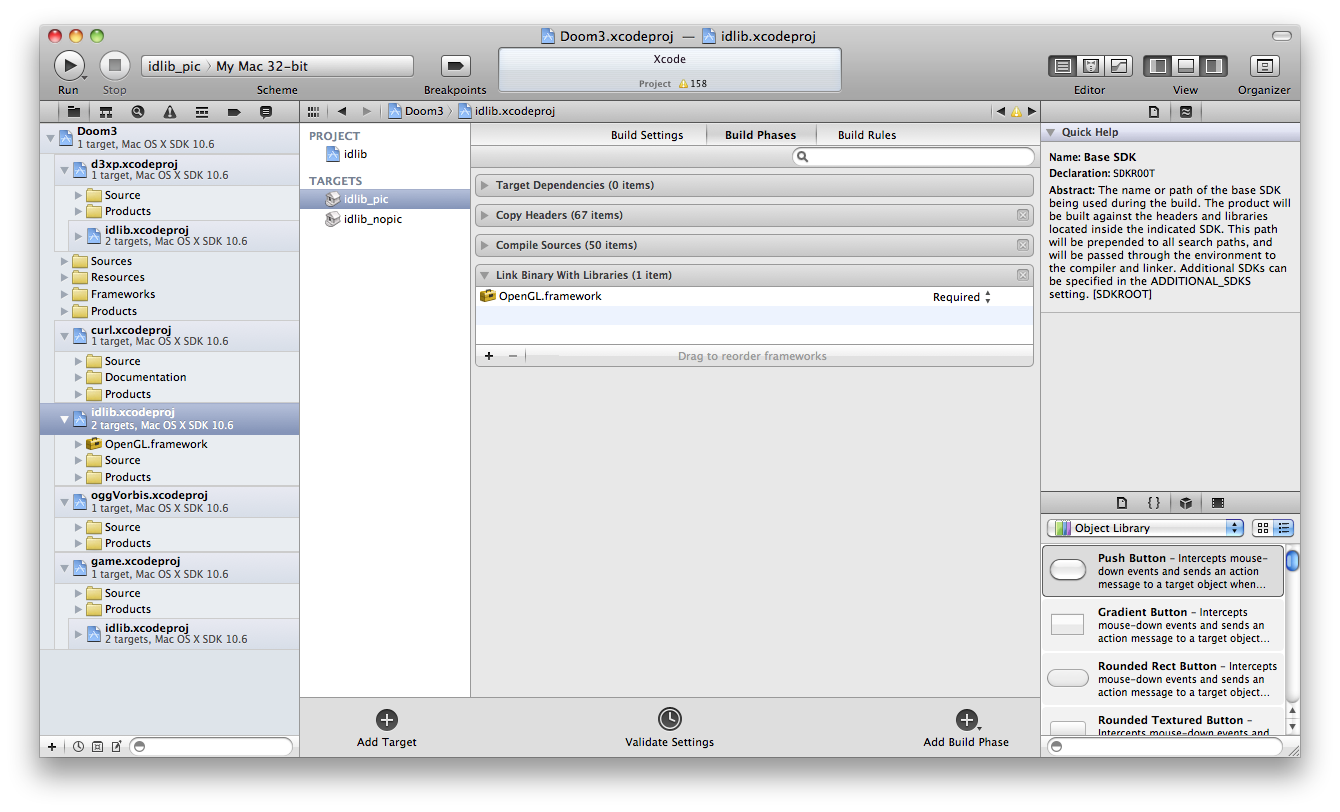
Redefine the broken OpenGL.framework reference in the idlib's two targets:
You should now have something that look like:
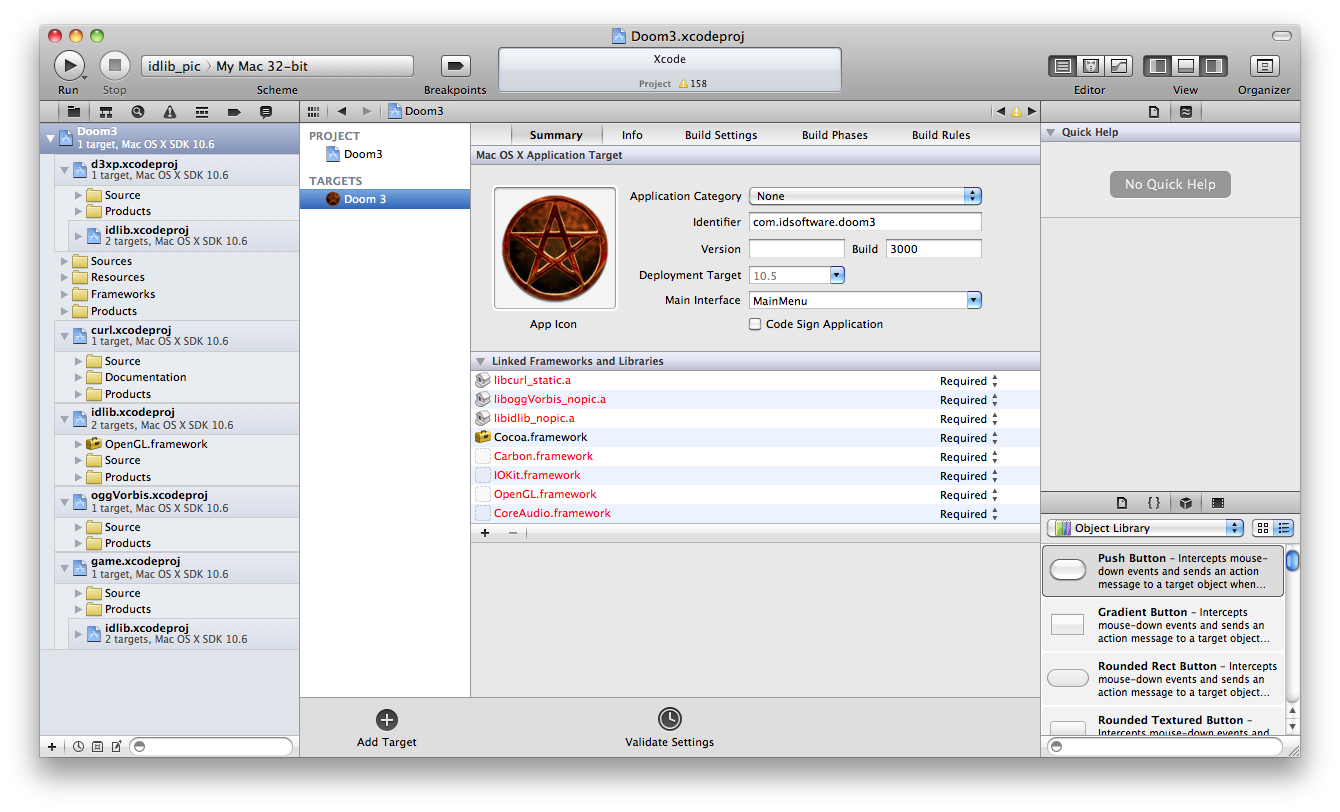
Now is time to fix the missing Carbon.framework, IOKit.framework, OpenGL.framework, CoreAudio.framework references in Doom3 project:
3. Fix ppc_intrinsics.h.
Since PowerPC are a thing of the past we need to remove all references:
Try to build Doom3 Project:
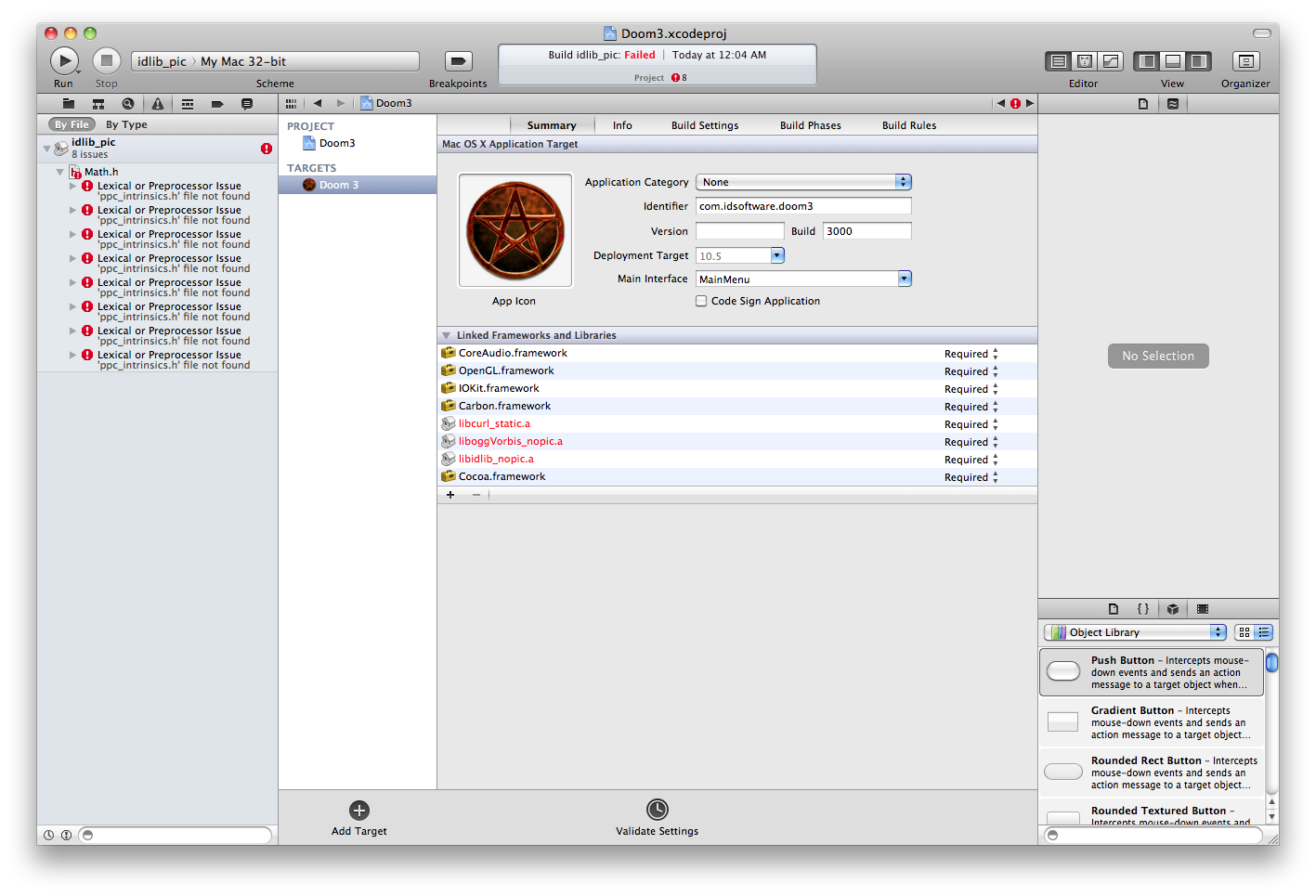
The build will fail. It is because PPC_INTRINSICS is automatically defined if MACOS_X is defined (old times when all Macs were PowerPC). The fix is to be more subtle in neo/idlib/math/Simd_AltiVec.h
#define PPC_INTRINSICS
to
   #if defined(MACOS_X) && defined(__ppc__)
     #define PPC_INTRINSICS
   #endif
Tip : Double click on the error, it will take you right to the line you need to comment.
4. Fix ld linker options.
Try to build: It will fail again with this cryptic error message:
    ld: bad codegen, pointer diff in __ZN10idAnimator11CreateFrameEib to global weak symbol __ZN6idCVarD1Ev for architecture i386
    Command /Developer/usr/bin/clang++ failed with exit code 1
For some reason the five projects don't have the same linker flags and this is confusing ld:
For all five projects, make sure:
- Inline Methods Hidden are set to "No".
- Symbols Hidden by Default are set to "No".
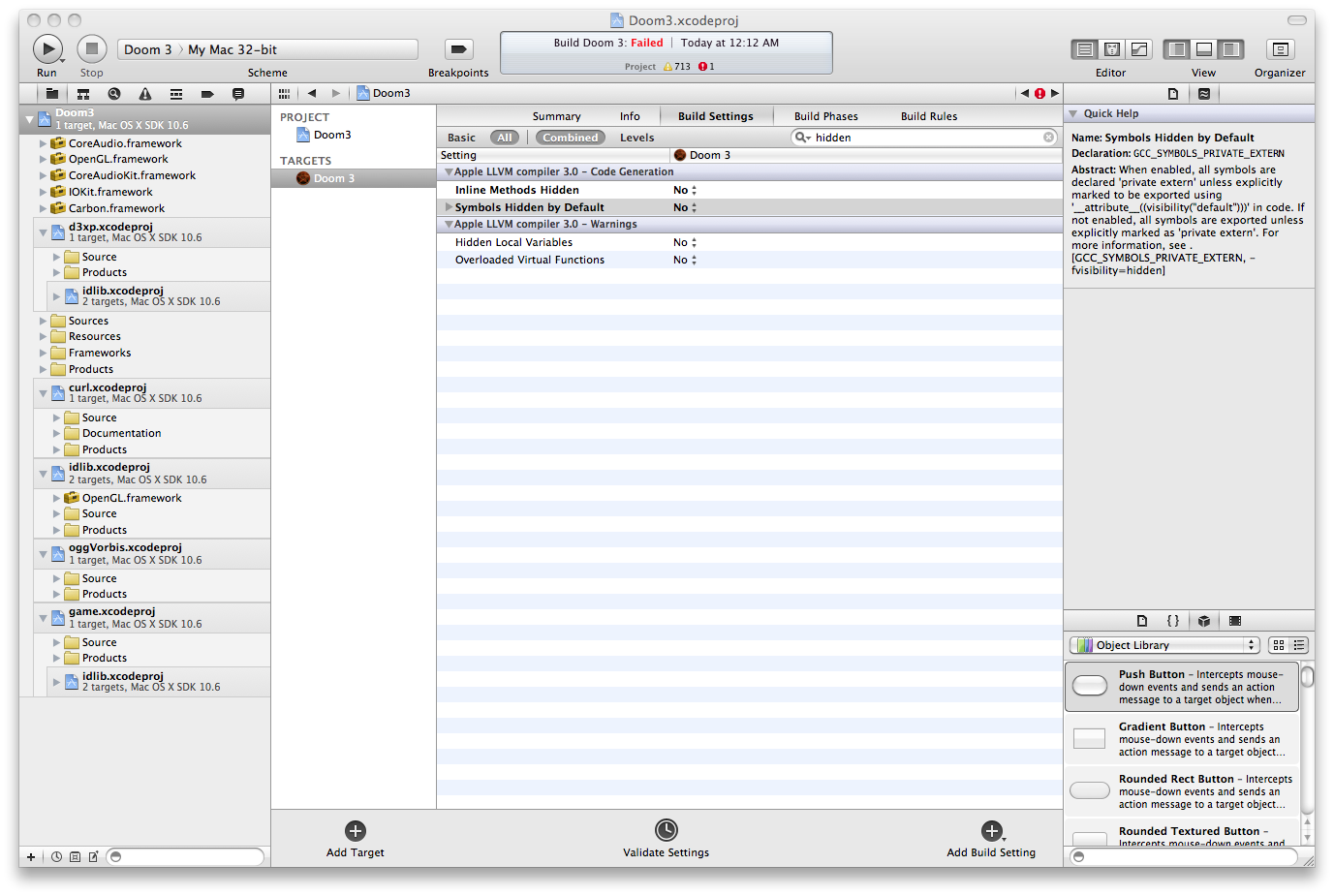
5. Fix C++ code.
Let's try to compile again. Surprise it still doesn't work:
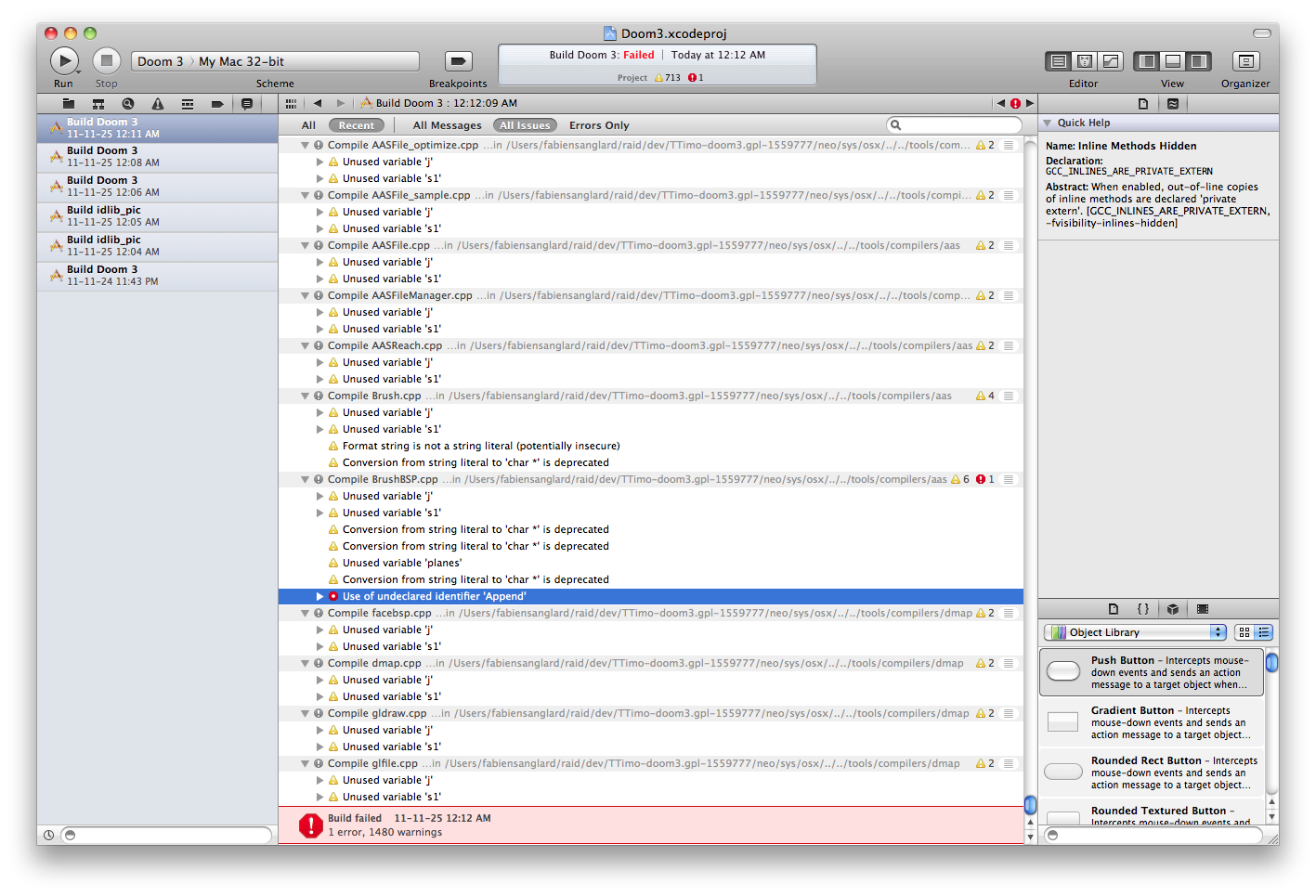
    /Users/fabiensanglard/raid/dev/TTimo-doom3.gpl-
    1559777/neo/sys/osx/../../tools/compilers/aas/../../../idlib/containers/VectorSet.h:151:2: error:
     use of undeclared identifier 'Append' [3]
The template code is not liked by LLVM, you need to change VectorSet.h:
Append( v );
to
this->Append( v );
6. Fix more C++ code.
Try to fail at building again: Yea !!!
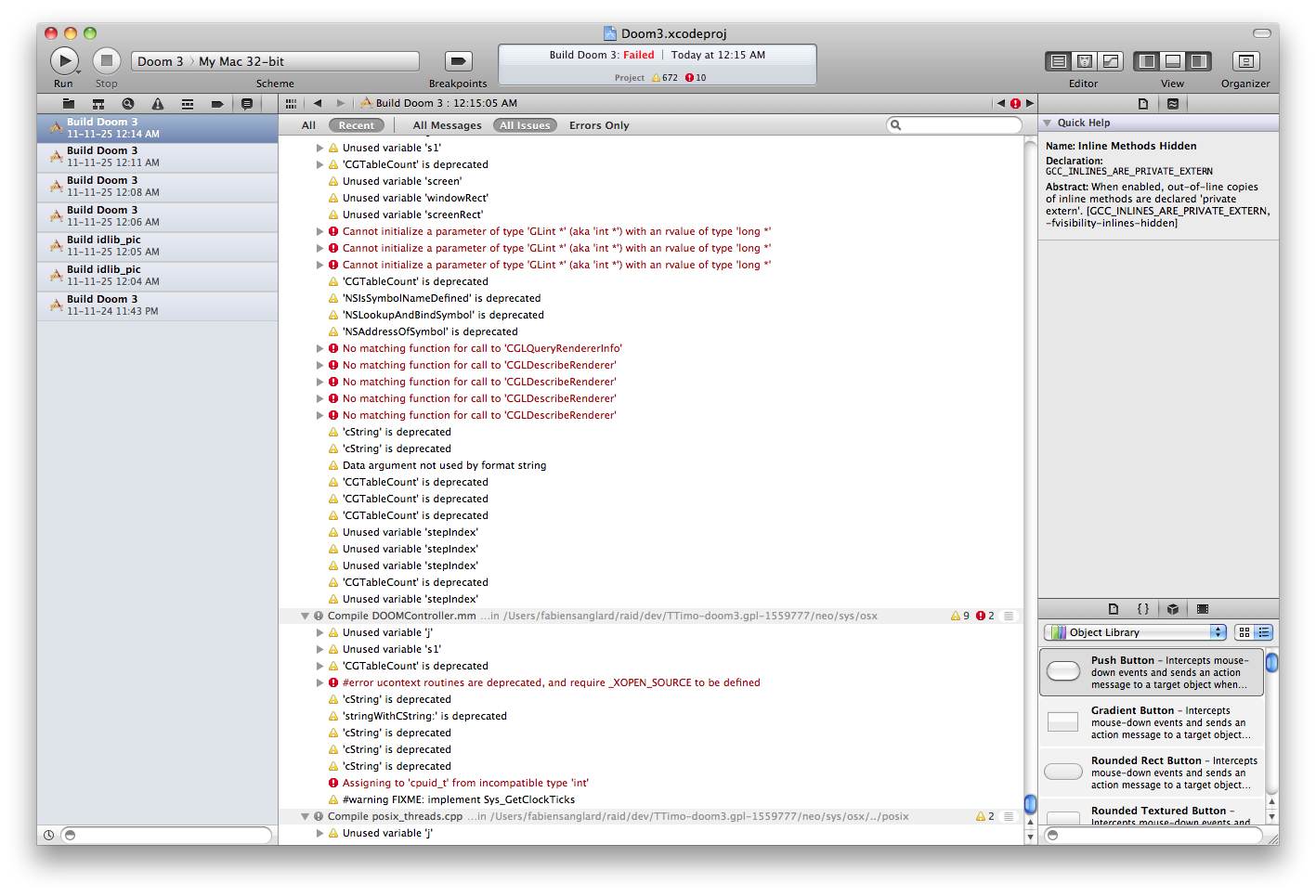
This time it is a bunch of miscast and impossible implicit conversion from
long to GLint:
First batch:
   /Users/fabiensanglard/raid/dev/TTimo-doom3.gpl-1559777/neo/sys/osx/macosx_glimp.mm:412:26:{412:26-412:54}:
   error: cannot initialize a parameter of type 'GLint *' (aka 'int *') with an rvalue of type 'long *' [3]


   /Users/fabiensanglard/raid/dev/TTimo-doom3.gpl-1559777/neo/sys/osx/macosx_glimp.mm:413:26:{413:26-413:54}:
   error: cannot initialize a parameter of type 'GLint *' (aka 'int *') with an rvalue of type 'long *' [3]


   /Developer/SDKs/MacOSX10.6.sdk/System/Library/Frameworks/AppKit.framework/Headers/NSOpenGL.h:117:28:
   note: passing argument to parameter 'vals' here [3]
Change macosx_glimp.mm:
	[pixelFormat getValues: (long *) &glConfig.colorBits forAttribute: NSOpenGLPFAColorSize forVirtualScreen: 0];
	[pixelFormat getValues: (long *) &glConfig.depthBits forAttribute: NSOpenGLPFADepthSize forVirtualScreen: 0];
	[pixelFormat getValues: (long *) &glConfig.stencilBits forAttribute: NSOpenGLPFAStencilSize forVirtualScreen: 0];
to
   [pixelFormat getValues: (int *) &glConfig.colorBits forAttribute: NSOpenGLPFAColorSize forVirtualScreen: 0];
	[pixelFormat getValues: (int *) &glConfig.depthBits forAttribute: NSOpenGLPFADepthSize forVirtualScreen: 0];
	[pixelFormat getValues: (int *) &glConfig.stencilBits forAttribute: NSOpenGLPFAStencilSize forVirtualScreen: 0];
More errors:
   /Users/fabiensanglard/raid/dev/TTimo-doom3.gpl-1559777/neo/sys/osx/macosx_glimp.mm:1271:8:{1271:8-1271:28}:
   error: no matching function for call to 'CGLQueryRendererInfo' [3]


   /Users/fabiensanglard/raid/dev/TTimo-doom3.gpl-1559777/neo/sys/osx/macosx_glimp.mm:1283:9:{1283:9-1283:28}:
   error: no matching function for call to 'CGLDescribeRenderer' [3]


   /Users/fabiensanglard/raid/dev/TTimo-doom3.gpl-1559777/neo/sys/osx/macosx_glimp.mm:1295:10:{1295:10-1295:29}:
    error: no matching function for call to 'CGLDescribeRenderer' [3]


   /Users/fabiensanglard/raid/dev/TTimo-doom3.gpl-1559777/neo/sys/osx/macosx_glimp.mm:1303:10:{1303:10-1303:29}:
    error: no matching function for call to 'CGLDescribeRenderer' [3]


   /Users/fabiensanglard/raid/dev/TTimo-doom3.gpl-1559777/neo/sys/osx/macosx_glimp.mm:1313:10:{1313:10-1313:29}:
    error: no matching function for call to 'CGLDescribeRenderer' [3]
Change macosx_glimp.mm:
    long rendererInfoIndex, rendererInfoCount = MAX_RENDERER_INFO_COUNT;
    long rendererIndex, rendererCount;
    long maxVRAM = 0, vram = 0;
    long accelerated;
    long rendererID;
    long totalRenderers = 0;
to
    long rendererInfoIndex;
    GLint rendererInfoCount = MAX_RENDERER_INFO_COUNT;
    long rendererIndex;
    GLint rendererCount;
    long maxVRAM = 0;
    GLint vram = 0;
    GLint accelerated;
    GLint rendererID;
    long totalRenderers = 0;
Some more errors:
   /Developer/SDKs/MacOSX10.6.sdk/usr/include/ucontext.h:42:2: error: #error ucontext routines are deprecated,
   and require _XOPEN_SOURCE to be defined [2]
Change DoomController.mm:
#import <ucontext.h>
to
#import <sys/ucontext.h>
Still more errors:
   /Users/fabiensanglard/raid/dev/TTimo-doom3.gpl-1559777/neo/sys/osx/DOOMController.mm:474:8:{474:11-474:121}:
    error: assigning to 'cpuid_t' from incompatible type 'int' [3]
Change DOOMController.mm:
   cpuid_t Sys_GetProcessorId( void )
   {
     cpuid_t cpuid = CPUID_GENERIC;

     #if defined(__ppc__)
       cpuid |= CPUID_ALTIVEC;
     #elif defined(__i386__)
       cpuid |= CPUID_INTEL | CPUID_MMX | CPUID_SSE | CPUID_SSE2 | CPUID_SSE3 | CPUID_HTT | CPUID_CMOV | CPUID_FTZ | CPUID_DAZ;
     #endif

     return cpuid;

    }
to
   cpuid_t Sys_GetProcessorId( void )
   {
     int cpuid = CPUID_GENERIC;

     #if defined(__ppc__)
       cpuid |= CPUID_ALTIVEC;
     #elif defined(__i386__)
       cpuid |= CPUID_INTEL | CPUID_MMX | CPUID_SSE | CPUID_SSE2 | CPUID_SSE3 | CPUID_HTT | CPUID_CMOV | CPUID_FTZ | CPUID_DAZ;
     #endif

     return static_cast<cpuid_t>(cpuid);

    }
Finally
Change macosx_glimp.mm:
   common->Printf( "%8d kB total OpenAL audio memory used\n", ( alGetInteger( alGetEnumValue( (ALubyte*)
   "AL_EAX_RAM_SIZE" ) ) - alGetInteger( alGetEnumValue( (ALubyte*)"AL_EAX_RAM_FREE" ) ) ) >> 10 );
to
   common->Printf( "%8d kB total OpenAL audio memory used\n", ( alGetInteger( alGetEnumValue(
   "AL_EAX_RAM_SIZE" ) ) - alGetInteger( alGetEnumValue( "AL_EAX_RAM_FREE" ) ) ) >> 10 );
7. Fix the compiler.
Try to build: Fail.
   ld: illegal text-relocoation (direct reference) to (global,weak) __ZN6idMatX11InverseSelfEv in
    /Users/fabiensanglard/TTimo-doom3.gpl-1559777/neo/sys/osx/build/Debug/libidlib_nopic.a(Matrix.o)
    from __ZN6idMatX11InverseSelfEv in /Users/fabiensanglard/TTimo-doom3.gpl-1559777/neo/sys/osx/build/Debug/libidlib_nopic.a(Matrix.o)
    for architecture i386
It seems all the projects did not use the same compiler, some defaulted to Apple LLVM compiler 3.0 while some other did default to LLVM GCC 4.2. Set them all to LLVM GCC 4.2 (don't forget there are two target in the idlib project: idlib_pic and idlib_nopic).
8. Fix the OpenAL weak reference.
The Doom3 project features a weak framework reference:
-weak_framework OpenAL
Remove this flag and add the OpenAL.framework instead.
9. Remove the old curl lib reference.
Delete the curl project reference and add libcurl.dylib to the list of framework in Doom3 project. This will make the build process much faster.
10. Don't build unused architectures.
Optional: For all projects: Set "Build active Architecture only" to Yes.
11. Add libraries to linker.
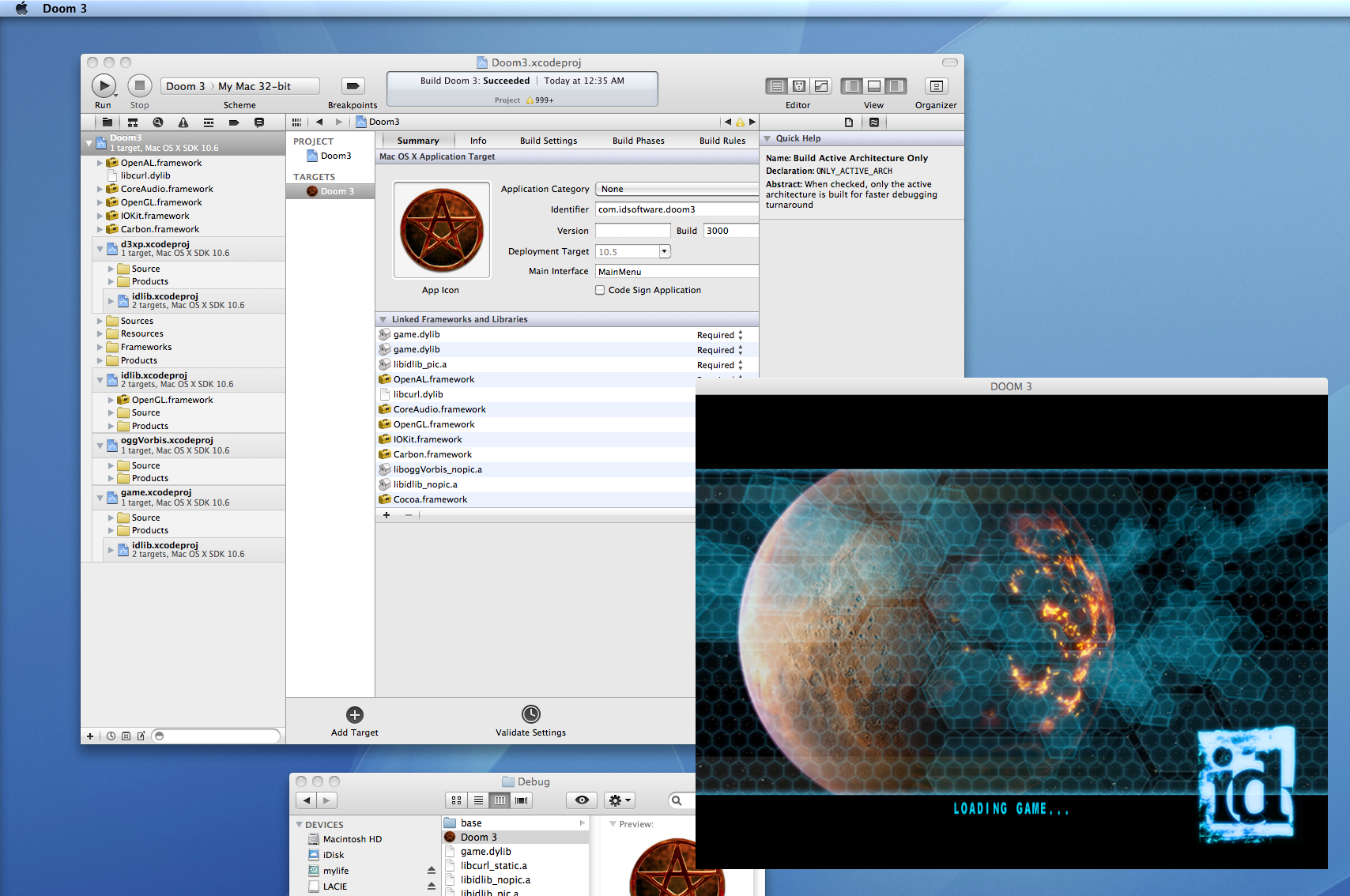
The build will still fail at this point since the linker is missing the game.dylib and the libidklib_pic.a libraries. Add them to the project:
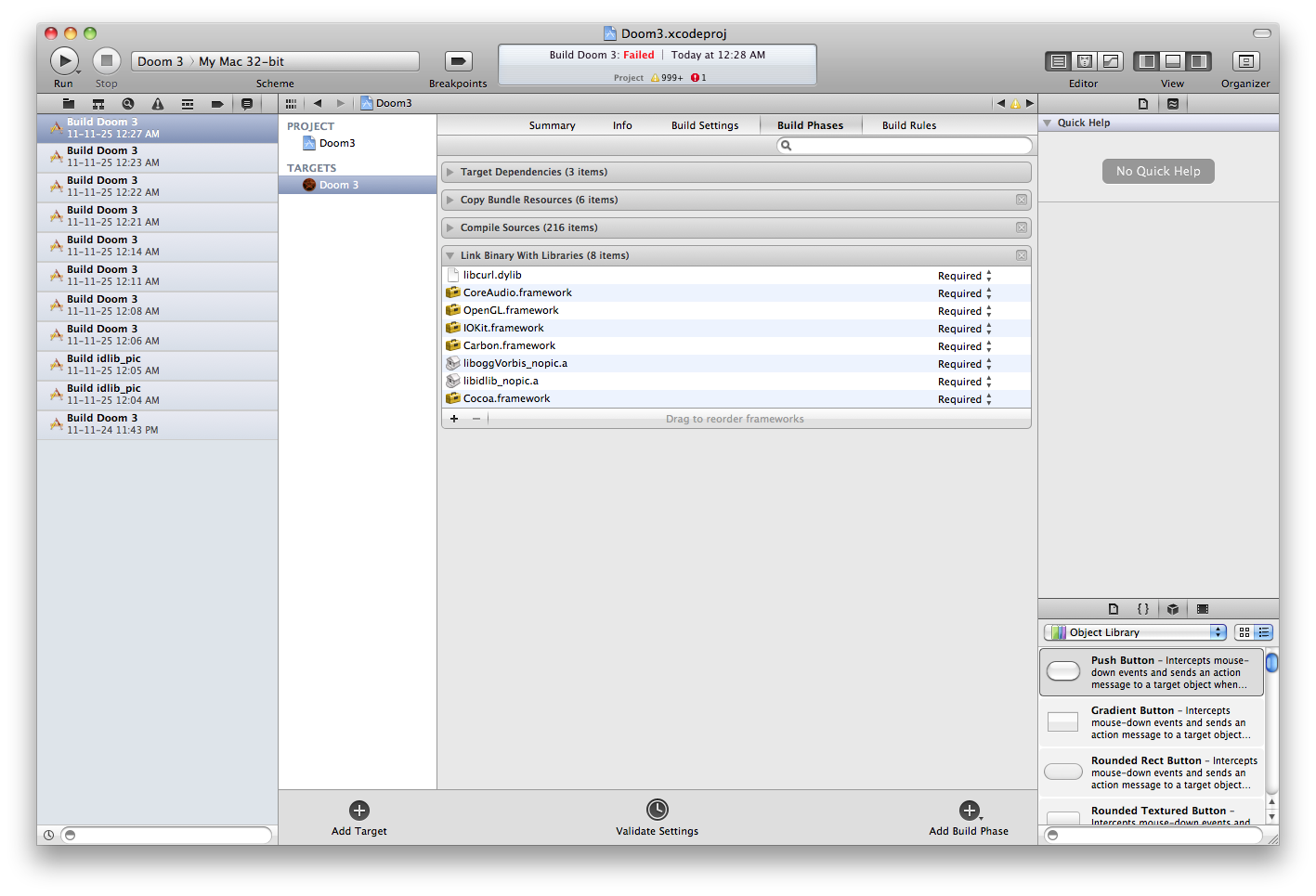
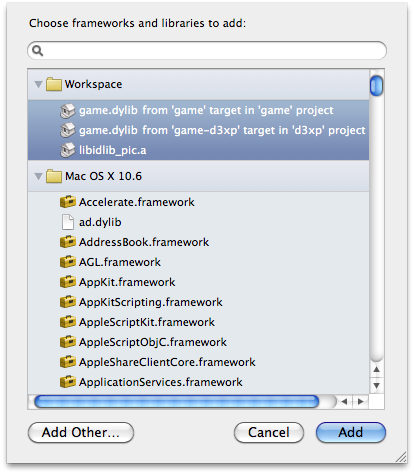
12. Get the assets.
Dust out your Doom3 CDs:
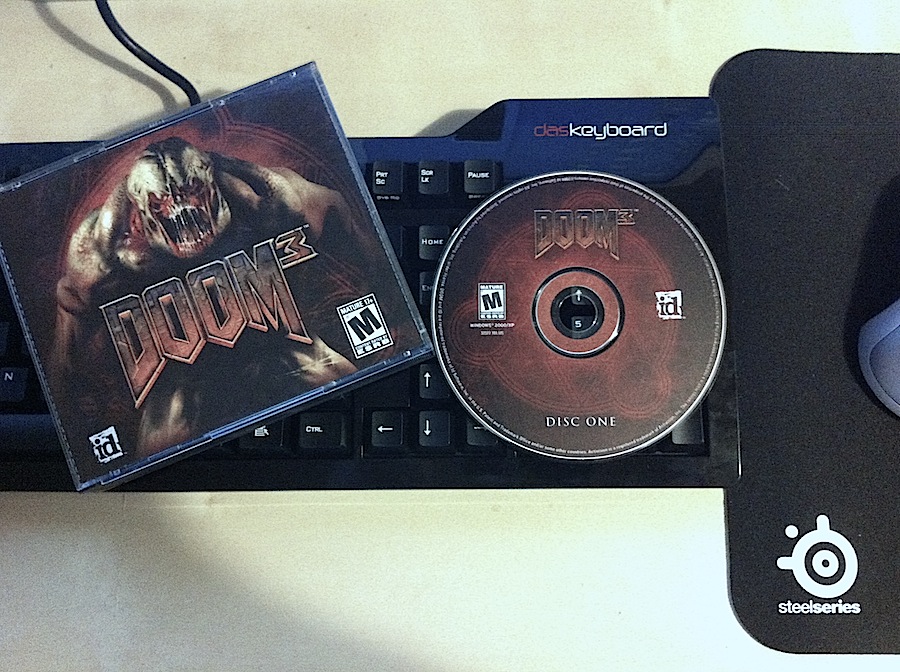
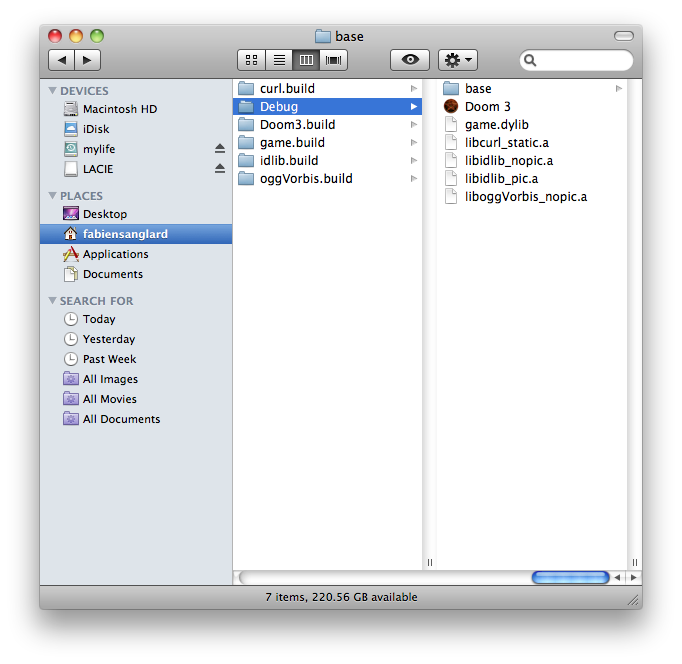
If you haven't bought it yet: it is available on Steam ;) ! Place the
base folder just next to Doom3 executable. Copy base/defaut.cfg from the source release to the base folder from Steam.
13. Link game.dylib.
If you try to launch the game now it will crash at startup:
   Dyld Error Message:
   Library not loaded: /usr/local/lib/game.dylib
   Referenced from: /Users/dev/TTimo-doom3.gpl-1559777/neo/sys/osx/build/Debug/Doom 3.app/Contents/MacOS/Doom 3
   Reason: image not found
Two solutions possible:
- Copy
game.dylibto/usr/local/lib/(or even better, create a symbolic link). - Set "Dynamic Library Install Name" to "", this will make Doom3 search for the dylib locally.
14. Enjoy !
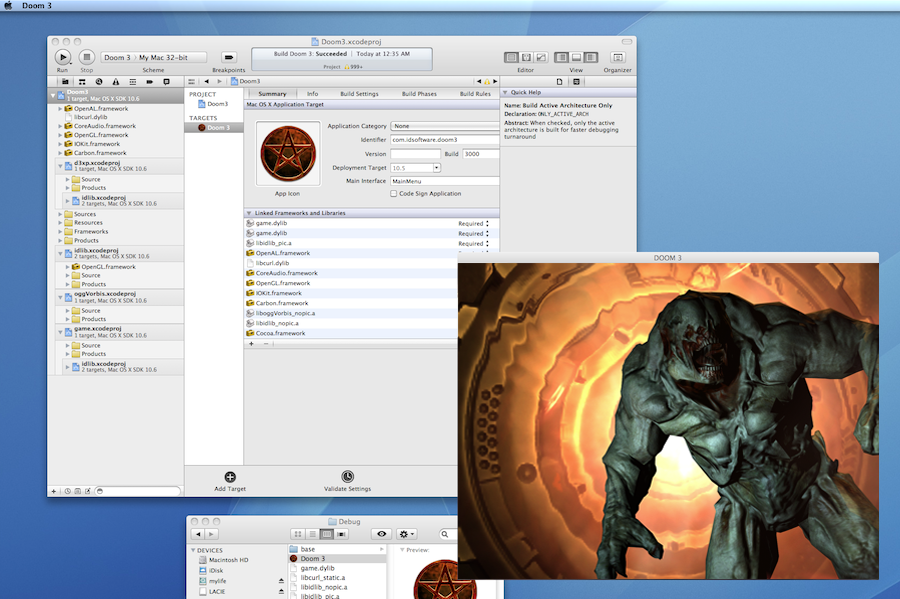
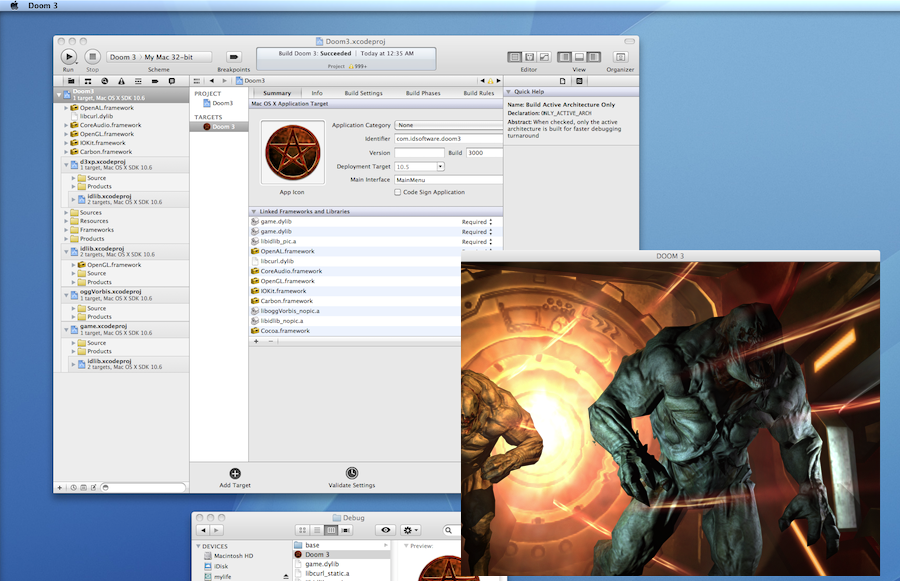
Let's try one last time:
Happy Hacking guys ;) !
@